Google Business Profile enquiry checklist
Your Google profile often gets checked before your website. Use this checklist to find public trust, service-fit and enquiry gaps.
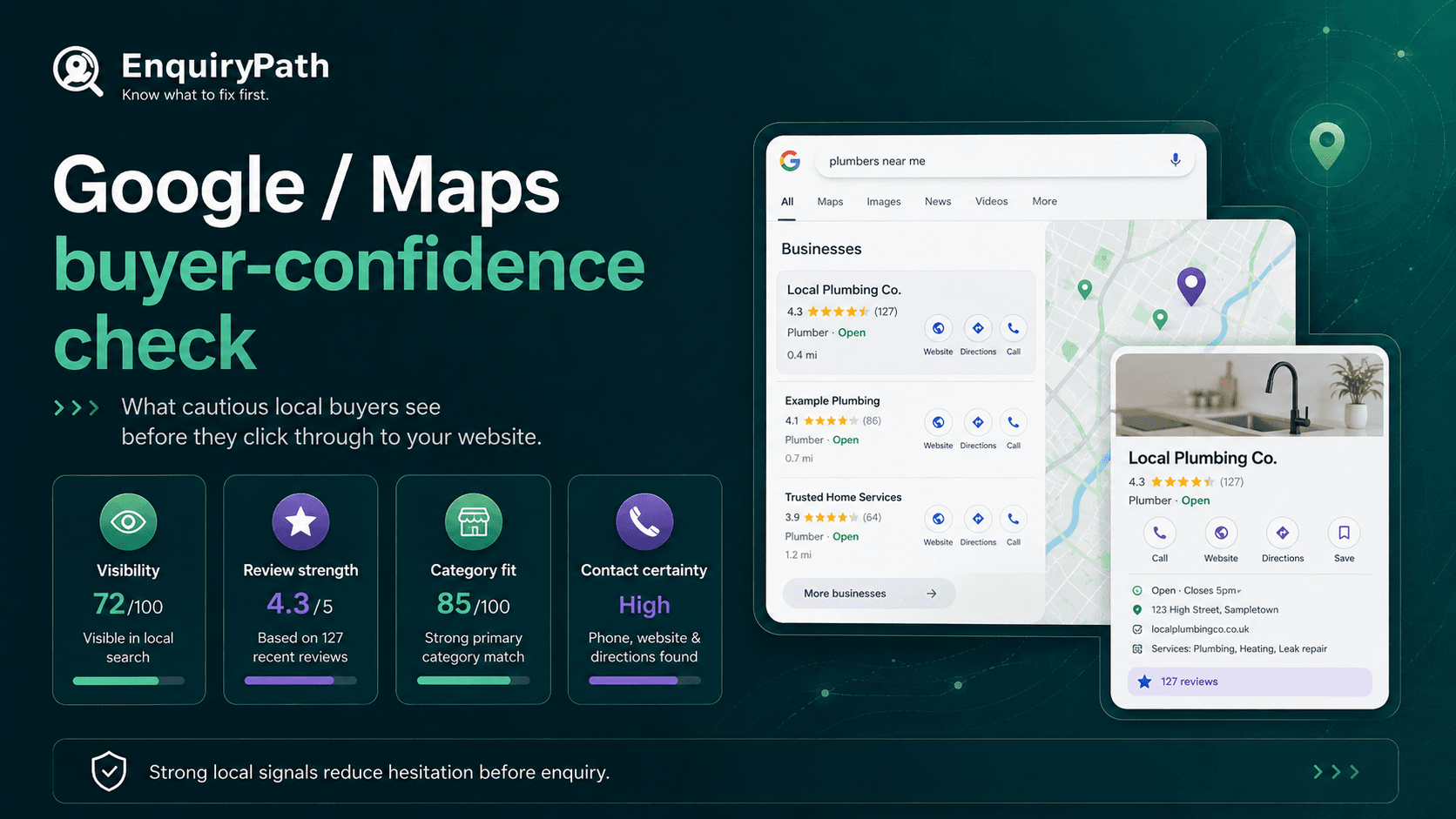
For many local buyers, the Google profile is the first proof check before they visit the website or call.
Quick self-audit
Run these checks first
- Does the profile category match what buyers are actually searching for?
- Do the services, description and website tell the same story?
- Do reviews support the main service and buyer concern?
- Would the profile make a cautious buyer confident enough to click, call or compare further?
Watch out for
Common enquiry leaks
- An incomplete profile that makes the business look less active than it is.
- A keyword-stuffed description that sounds less trustworthy, not more.
- Photos that do not help a customer understand the service.
- Review responses that feel generic or defensive.
Fix-first order
What to improve first
- 1Clean up core details: category, services, contact routes, hours and service area.
- 2Align the description with the website's main offer.
- 3Use reviews and responses to support trust themes.
- 4Compare one local competitor and note where their profile reduces doubt.
Field guide
Work through the sections in order if you are diagnosing your own site. If you already know the weak spot, jump straight to the relevant section and use the checks as a practical brief.
Your Google profile is part of the enquiry path
For local and service-area businesses, Google Business Profile is often the first trust check. A buyer may compare the profile, reviews, photos, services and website before deciding whether to call, click or keep looking.
The aim is not to make unsupported claims. The aim is to make the public profile complete, consistent and helpful for a cautious customer.
A good profile does not just help visibility. It helps a buyer decide whether the business looks real, relevant, active and worth contacting.
Profile completeness is not the same as enquiry-readiness
A profile can be technically complete and still weak for enquiries. The practical question is whether the profile reduces doubt for the type of customer you want.
- Does the primary category match the main commercial service?
- Do services use words customers recognise?
- Does the description explain who you help and what you do without stuffing keywords?
- Do photos support trust, location, team, work type or service quality?
- Does the website link take people to a page that continues the same story?
Fix the basics before chasing tricks
- Business name matches the website and real-world brand.
- Primary category fits the main commercial service.
- Phone, website, opening hours and service area are correct.
- Services reflect what customers actually ask for.
- The description says what the business does in plain English.
- Appointment, messaging or call options are only used where the business can respond properly.
Make services useful, not just present
Service entries are often treated as a keyword list. They should help a buyer recognise that they are in the right place.
- Use service names customers would use, not only internal terminology.
- Group services so the profile does not feel random.
- Include priority services that match the website's key pages.
- Avoid adding services you do not really want enquiries for.
- Check whether the listed services match what reviewers mention.
Make reviews easier to trust
Reviews help most when they reduce uncertainty. The profile should make it easy for a buyer to understand what kind of work the business does well and how it treats customers.
You cannot control what every review says, and you should not make promises based on reviews. But you can notice the trust themes customers already mention and make sure the website supports the same story.
- Look for repeated review themes that support the main offer.
- Respond to reviews in a calm, specific and human way.
- Use responses to reinforce service, location and care without sounding scripted.
- Make sure website proof and Google review themes tell the same story.
- If reviews praise speed, friendliness or clarity, make those signals visible on the website too.
Use photos and updates with a purpose
Photos and updates should make the business easier to understand or trust. They do not need to be constant, but they should feel real and useful.
- Use real images where they help people understand the service, team, location or work type.
- Avoid generic stock-like images that do not build confidence.
- Keep updates practical: service availability, useful explanations or seasonal notes.
- Do not post just to look active if the update says nothing useful.
- Remove outdated images or posts if they create confusion about what the business now does.
Check the website handoff
The Google profile and website should feel like the same business. If the profile says one thing and the website says another, the buyer has to resolve that confusion themselves.
- The website hero should support the main category and services.
- The location or service area should be consistent.
- The phone number and contact route should match expectations from the profile.
- The reviews or proof on the website should echo the same trust themes.
- The linked page should make the next step clearer, not harder.
Compare one local competitor
- 1Search for the main service in the target area.
- 2Open one competitor profile a buyer would realistically compare.
- 3Check category, services, reviews, photos, website link and clarity.
- 4Note where they reduce doubt better than you do.
- 5Write down the first three profile or website improvements you can make without exaggerating claims.
Monthly profile maintenance
A Google profile should not become a weekly content treadmill, but it should not be abandoned either. A simple monthly check is enough for many SMEs.
- 1Check opening hours, service area and contact details.
- 2Read new reviews and respond where appropriate.
- 3Add or remove services if the business focus has changed.
- 4Review one competitor profile.
- 5Check whether the website still supports the profile's main promise.
What good looks like
A useful profile does not need to be loud. It should make the business feel real, relevant and easy to contact, then support the same story the website tells.
If the profile helps a buyer understand the service, trust the business and take the next sensible step, it is doing its job.