Why your website is not getting enquiries
Website visits do not automatically become enquiries. Use this field guide to find the moments where a cautious buyer may lose confidence before contacting you.
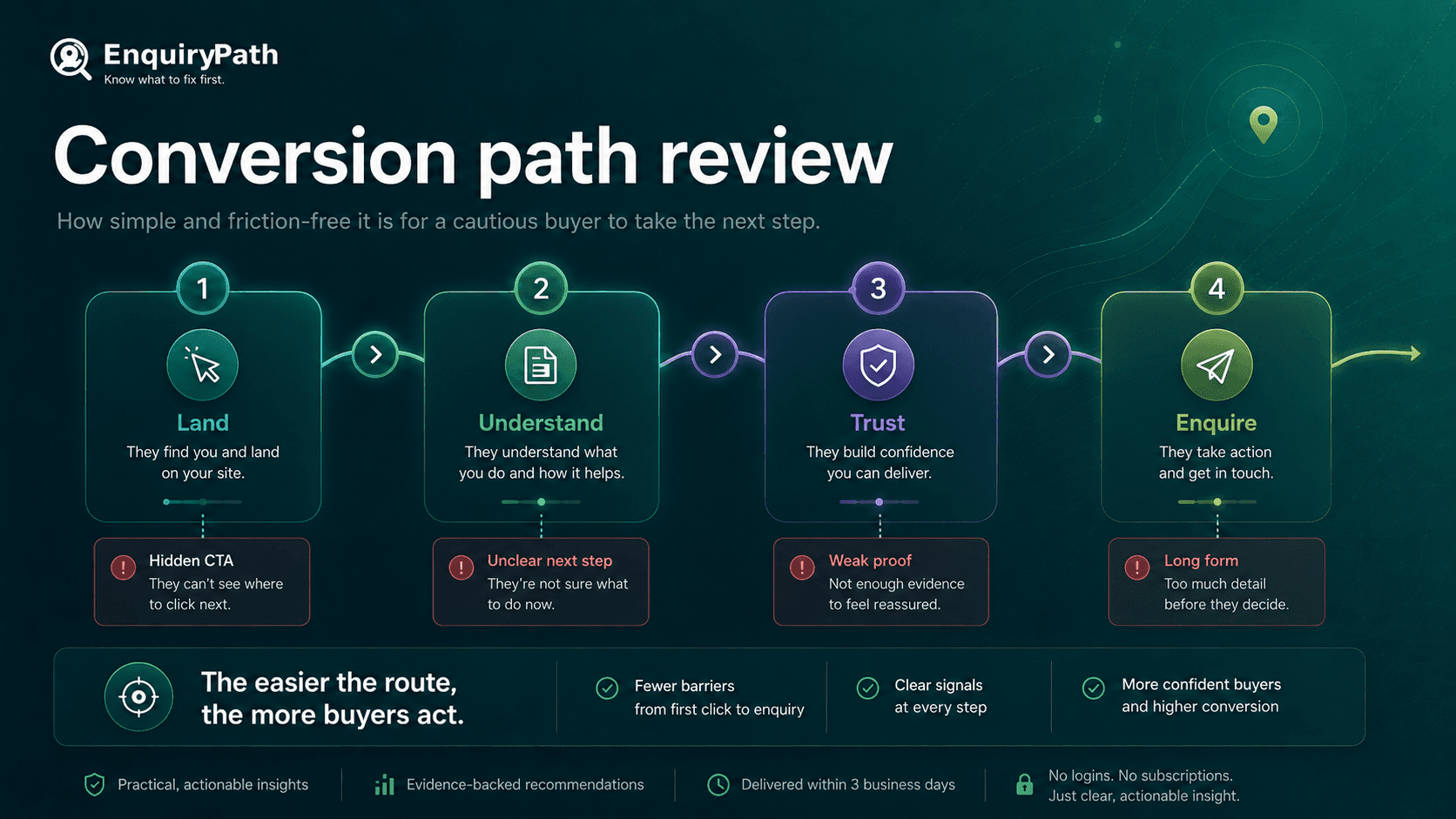
The enquiry path is a sequence: find the business, understand the offer, trust the proof, then choose a low-friction next step.
Quick self-audit
Run these checks first
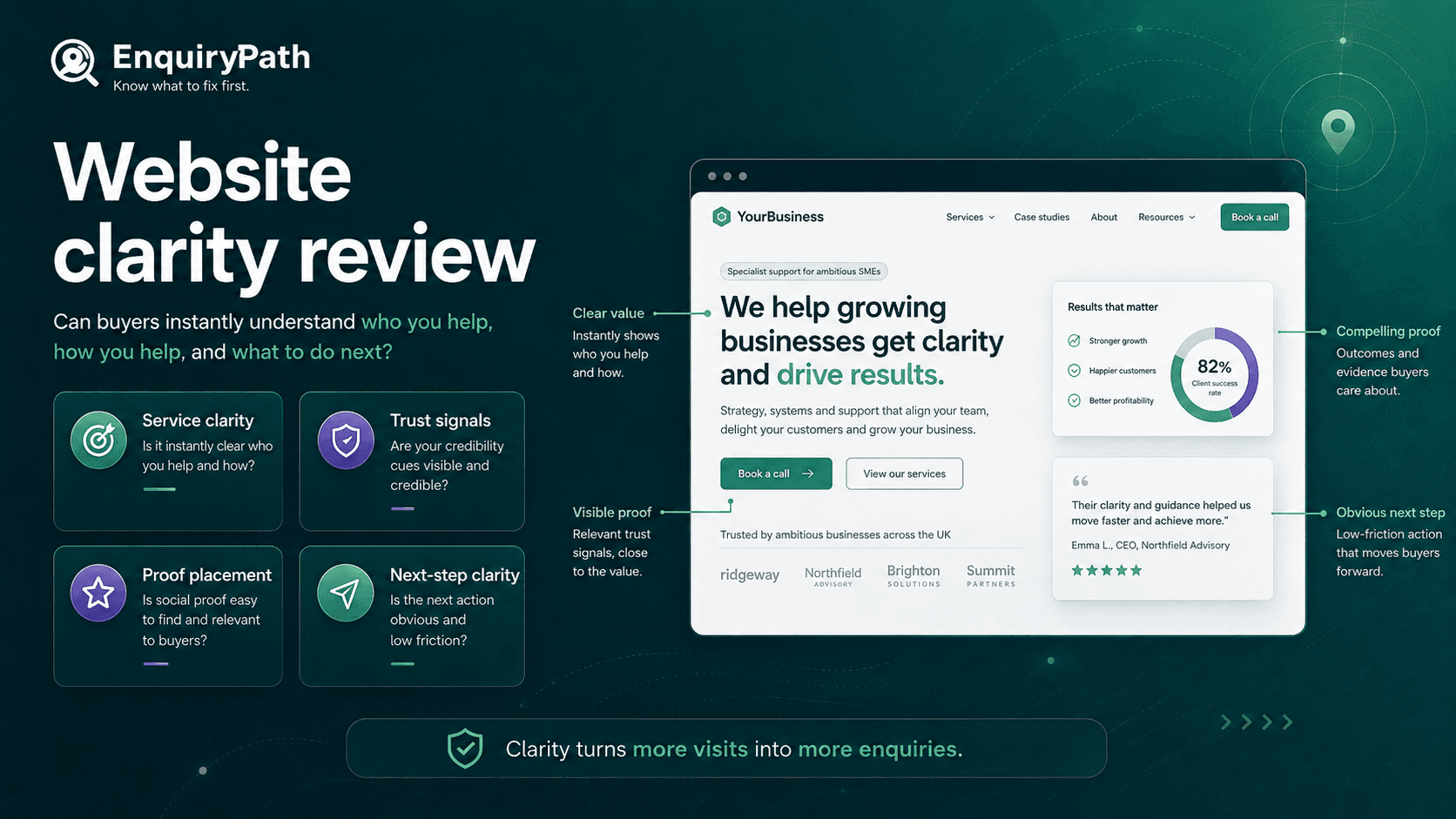
- Can a cold visitor tell what you do, who you help and where you work within ten seconds?
- Is there proof close to the main enquiry button, not hidden on a separate page?
- Can someone on mobile move from service interest to contact without hunting through menus?
- Does the page make the next step feel clear, low-risk and appropriate for the service?
Watch out for
Common enquiry leaks
- The homepage says welcome, quality or professional before it says what the business actually does.
- Testimonials exist, but they are too far away from the contact route.
- The mobile page looks tidy but hides the service, proof or phone/contact action.
- The site asks people to enquire before it has answered basic trust questions.
Fix-first order
What to improve first
- 1Rewrite the first screen so service, audience, location and next step are explicit.
- 2Move the strongest proof near the action points on service and contact pages.
- 3Shorten the mobile path from interest to enquiry.
- 4Compare one real competitor and note where they make the decision easier.
Field guide
Work through the sections in order if you are diagnosing your own site. If you already know the weak spot, jump straight to the relevant section and use the checks as a practical brief.
The real problem is usually hesitation
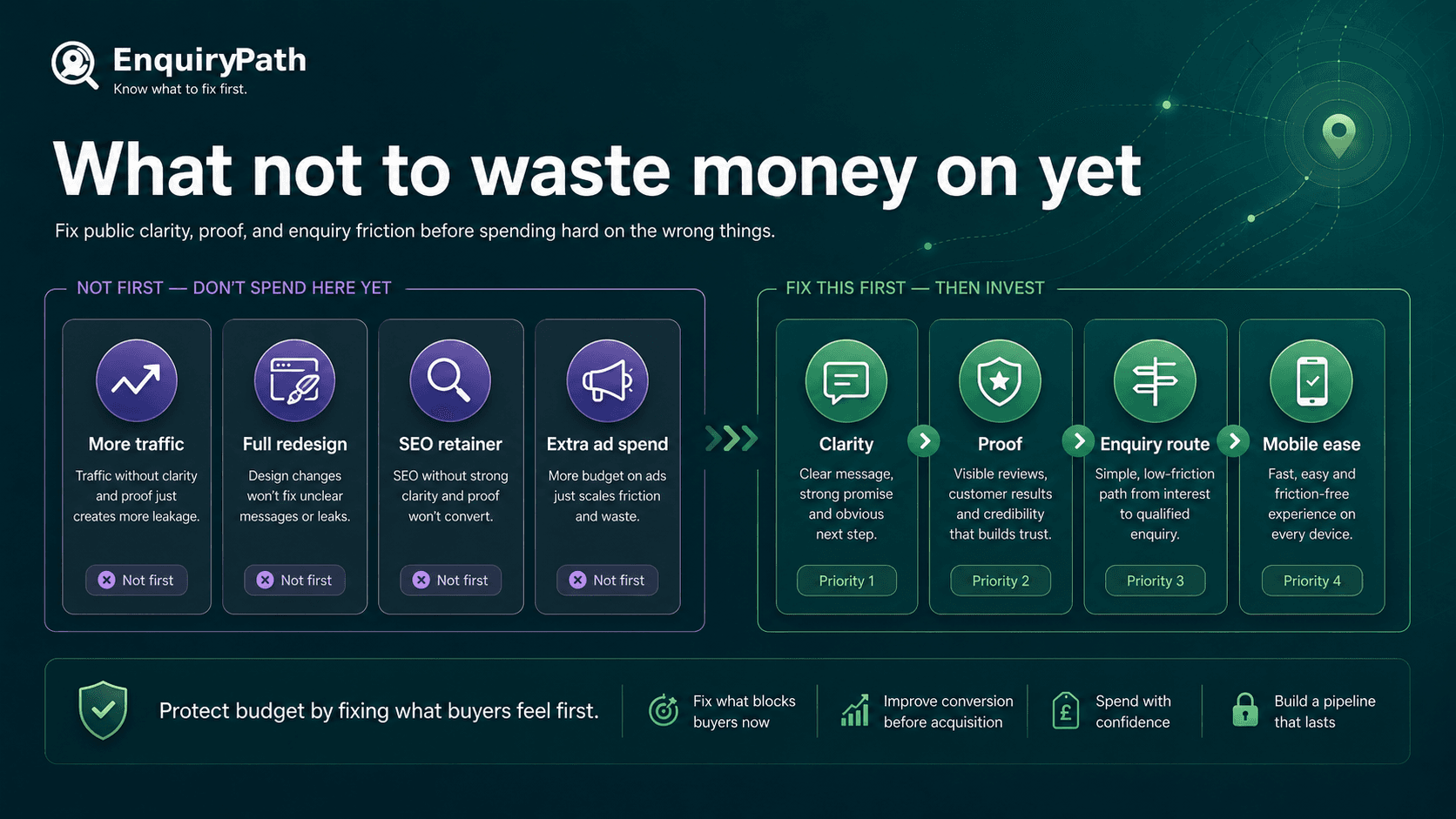
When a website is not producing enough enquiries, the easy answer is usually more traffic. More SEO, more ads, another directory listing, another social post. Sometimes visibility is part of the problem. But many SME websites already get some attention and still lose people before they make contact.
A public enquiry leak is any visible moment that makes a potential customer hesitate. They may not understand the service quickly enough, trust the proof, see the fit for their area, believe the business is active, or feel comfortable taking the next step.
For a local plumber, accountant, care provider, recruiter, consultant, trades business or B2B service, the visitor is often not looking for entertainment. They are trying to answer a practical question: is this business right for me, credible enough, and easy enough to contact?
The aim is not to turn every visitor into an enquiry. The aim is to stop losing sensible, relevant buyers because the public path creates unnecessary doubt.
The seven moments where enquiries leak
Most weak enquiry paths break in one or more of these places. You can use this as a quick diagnostic before spending money on traffic, a redesign or another marketing supplier.
- Search intent: the visitor finds you, but the page they land on does not match what they were looking for.
- Service clarity: they cannot quickly tell what you do, who it is for, or whether you cover their area.
- Buyer fit: the page does not say enough about sectors, job types, budgets, urgency or common situations.
- Proof: reviews, examples, credentials or before-and-after evidence are missing, vague or too far from the decision point.
- Mobile route: the page looks fine, but the service, proof and contact action are awkward to reach on a phone.
- Contact friction: the form is too long, the call to action is vague, or the visitor does not know what happens after they enquire.
- Competitor clarity: another business explains the same service more clearly and feels safer to contact.
Run the ten-second stranger test
Open the homepage or main service page and pretend you know nothing about the business. Do not give the page the benefit of the doubt. A warm referral may forgive vague copy. A cold visitor usually will not.
Give yourself ten seconds and answer these questions. If you cannot answer them quickly, the page is making the buyer work too hard.
- What does the business actually do?
- Who is it best suited for?
- Where does it work or who does it serve?
- What problem does it solve in plain English?
- Why should I trust it enough to continue?
- What is the next step if I am interested?
Score the page like a buyer
Use this simple 0 to 2 score. It is not a scientific conversion model. It is a practical way to stop arguing from opinions and start seeing the page more like a buyer.
- Offer clarity: 0 = unclear, 1 = understandable after reading, 2 = obvious within seconds.
- Audience fit: 0 = generic, 1 = hints at who it helps, 2 = clearly names relevant customers, situations or sectors.
- Location or service fit: 0 = missing, 1 = present but buried, 2 = easy to see where relevant.
- Proof: 0 = no useful proof, 1 = proof exists somewhere, 2 = proof appears near the decision point.
- Mobile action: 0 = hard to contact, 1 = possible but clunky, 2 = obvious and low-friction.
- Next-step confidence: 0 = vague, 1 = action is visible, 2 = action explains what happens next.
Put proof where doubt appears
Proof is not just a row of nice comments. It should answer the doubt that appears at the point of decision. A service page needs proof for that service. A contact section needs reassurance that contacting the business will not be awkward, slow or wasteful.
For many SMEs, the proof already exists but is badly placed. Reviews sit on Google but are not echoed on the website. Case examples sit in a portfolio but not on the relevant service page. Accreditations appear in the footer but not near the claim they support.
- Use review themes that match the buyer's concern: reliability, speed, clarity, care, value or expertise.
- Put proof near the enquiry button, form or phone number.
- Use specific context where possible: type of customer, location, job type or problem solved.
- Show proof before asking for commitment, especially on higher-trust or higher-cost services.
- Remove vague proof claims if the page does not support them.
Audit the mobile route, not just the mobile design
A website can look polished on desktop and still leak enquiries on mobile. The test is not whether it looks good. The test is whether a buyer can understand, trust and contact the business without friction.
This matters because mobile visitors are often impatient, distracted or comparing several options. If your service is harder to understand or contact than the next business, you may lose a good enquiry without ever seeing it in analytics.
- 1Open the homepage on a phone.
- 2Find the main service without using search.
- 3Find proof that the business is credible.
- 4Find the contact route.
- 5Check whether the phone, email, form or booking action is visible at the right moment.
- 6Notice every moment where the action becomes unclear, fiddly or uncertain.
Diagnose the type of enquiry problem
Weak enquiries can mean different things. Before changing the website, identify the likely pattern. This helps you avoid fixing the wrong thing.
- Low visits and low enquiries may be a visibility problem, but the page still needs to be enquiry-ready before you buy traffic.
- Reasonable visits and weak enquiries usually points to clarity, proof, fit or contact friction.
- Lots of poor-fit enquiries may mean the offer, pricing signals, geography or customer fit are unclear.
- Phone calls but few form enquiries may mean visitors want reassurance before writing a message, or the form asks too much.
- People ask the same basic questions after enquiring because the website is not answering them early enough.
Compare against the competitor a buyer will actually check
Competitors do not always win because they offer a better service. Sometimes they win because they explain the service better. A buyer comparing two businesses may choose the one that feels easier to understand, safer to contact and more relevant to their situation.
Pick one competitor that a buyer would realistically compare. Do not choose the biggest national brand if your buyer would not compare you with them. Choose the local, regional or specialist alternative that appears next to you in search, maps or word-of-mouth consideration.
- Compare headline clarity.
- Compare service hierarchy.
- Compare visible proof.
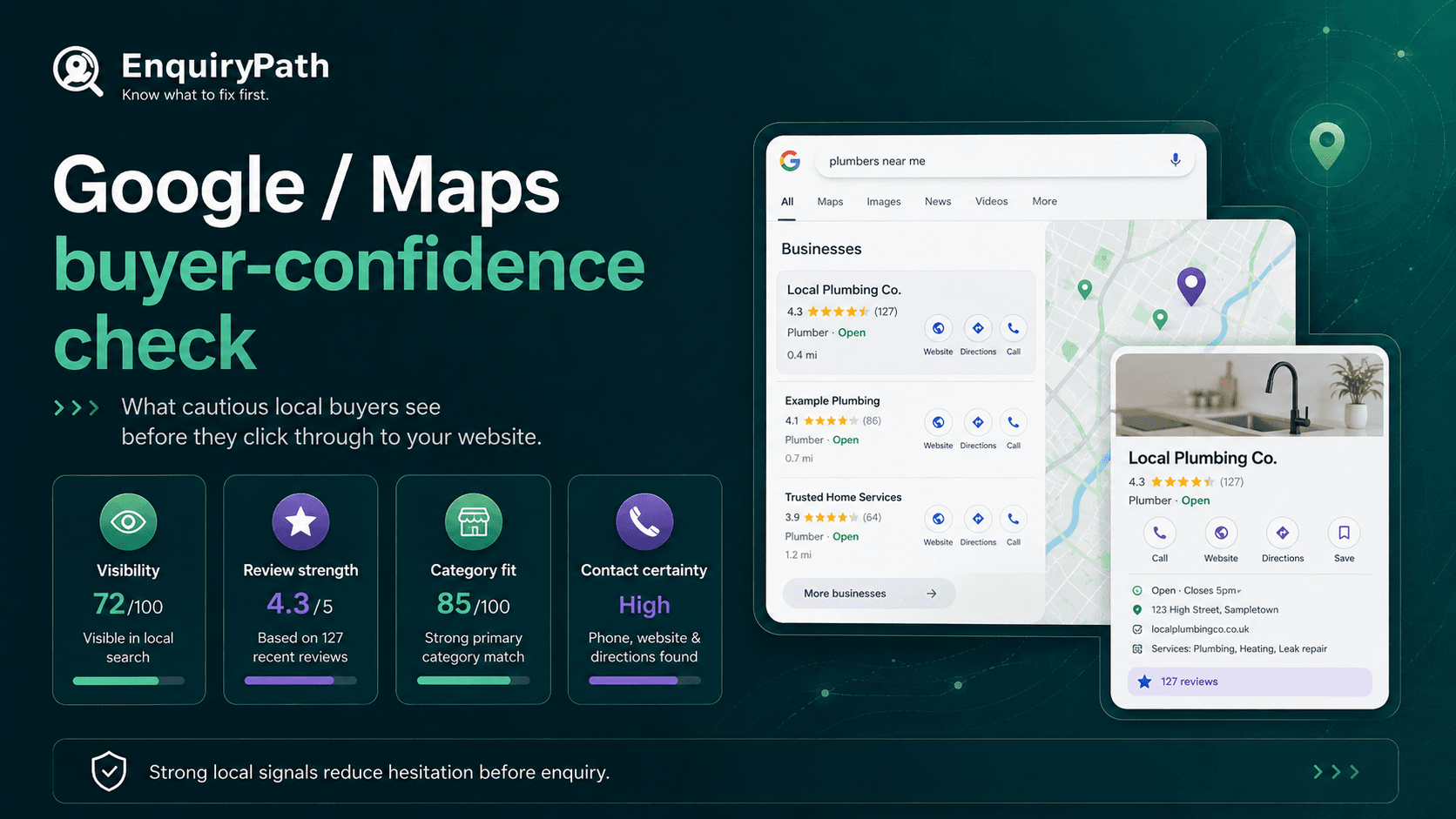
- Compare Google profile completeness.
- Compare how quickly the next step becomes obvious.
- Compare whether they reduce risk better than you do.
What to improve this week
Do not start with a full rebuild. Start with the visible friction points that can be improved quickly and judged honestly.
- 1Rewrite the main headline and first paragraph so the service, customer and location fit are clear.
- 2Add one proof block near the main call to action.
- 3Make the contact route easier on mobile.
- 4Add a short line explaining what happens after someone enquires.
- 5Update the Google Business Profile so it supports the same message as the website.
- 6Write down the three buyer questions the page still does not answer.
When traffic really is the next problem
Sometimes the enquiry path is clear enough and the business simply needs more relevant attention. If service clarity, proof, Google profile, reviews and mobile contact route are all in decent shape, then SEO, ads or partnerships may be sensible next steps.
The point is not to avoid marketing spend forever. It is to avoid sending more people into a page that is not ready to help them decide.